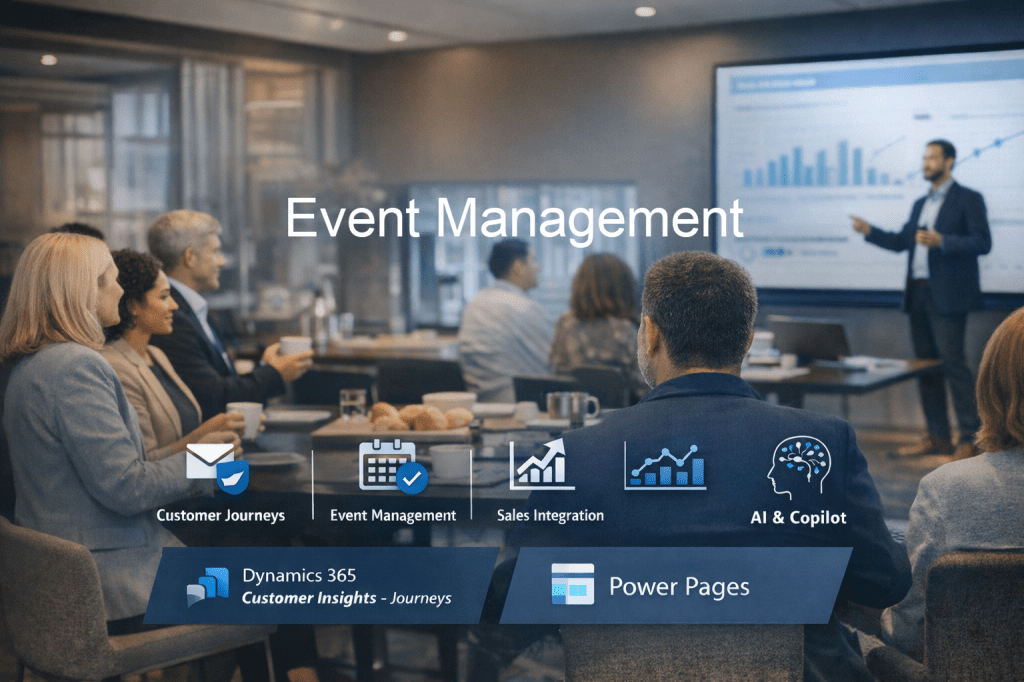
Using Event Management in Dynamics 365 Customer Insights – Journeys is one of the most powerful ways to run end-to-end events — from promotion to registration to post-event engagement — all inside your CRM ecosystem.
Let me break it down in a practical way.👇
🎯 What Event Management actually does
It allows you to:
- Create and manage events (webinars, in-person, hybrid)
- Handle registrations (via landing pages or portals)
- Track attendees and engagement
- Automate communications (emails, reminders, follow-ups)
- Measure success (attendance, engagement, conversions)
🧱 1. Set up your Event
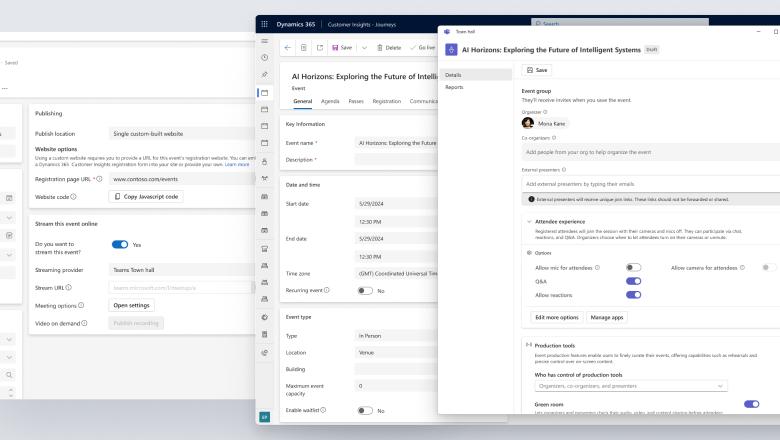
Key Components:
- Event record
- Name, type (webinar vs in-person)
- Capacity
- Venue / Teams link
- Sessions
- Break your event into agenda items
- Speakers
- Linked to contacts
- Tracks (optional)
- Useful for large conferences
👉 Consulting tip: Keep it simple for MVP — many clients over-engineer sessions early on.
🧑💻 2. Create Registration Experience
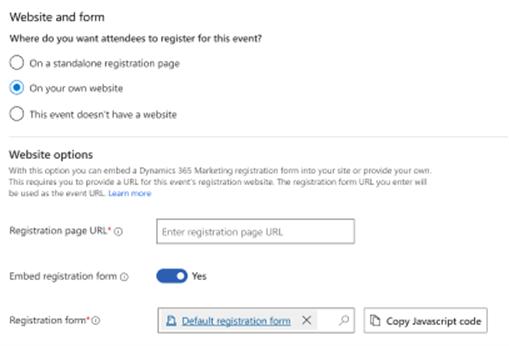
You have two main options:
Option A: Native Forms + Pages
- Create a marketing form
- Embed on a landing page
- Link form to your event
Option B: Power Pages Portal
- More advanced branded experience
- Allows:
- Event listings
- Self-service registration
- Attendee management
👉 The sweet spot:
Power Pages event portal + Customer Insights Journeys = 🔥
🔄 3. Build the Customer Journey
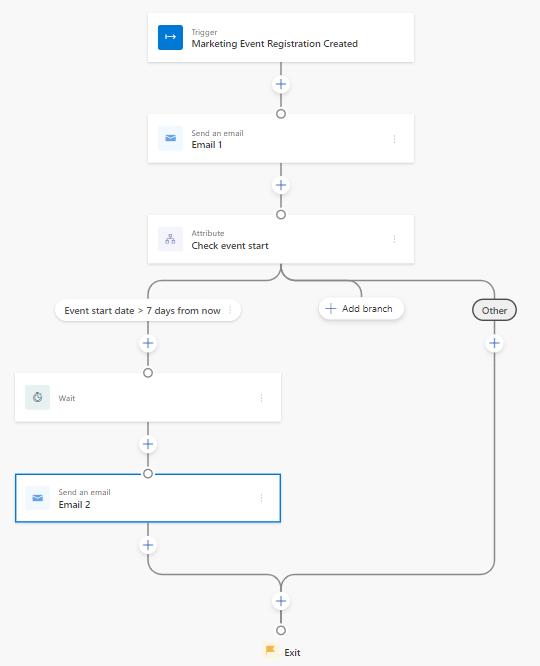
This is where the magic happens.
Typical event journey:
- Invite email
- Wait for interaction
- If registered → confirmation email
- Reminder emails (e.g. 1 week, 1 day, 1 hour before)
- Post-event follow-up
Trigger options:
- Event registration
- Check-in (attendance)
- No-show
👉 Pro tip: Use real-time journeys (not outbound – which should by now be deprecated for all) — way more flexible and future-proof.
📧 4. Email & Communication Setup
You’ll typically create:
- Invitation email
- Registration confirmation
- Reminder emails
- “We missed you” email
- Thank-you email
Use:
- Personalisation (First Name, Event Name)
- Dynamic content (sessions, location, Teams link)
✅ 5. Manage Attendees
Track:
- Registered
- Waitlisted
- Attended
- No-show
Check-in options:
- Manual
- QR code scanning (via apps or integrations)
- Power Apps custom check-in app
📊 6. Measure Event Success
Key metrics:
- Registrations vs attendance
- Email open/click rates
- Engagement during journey
- Leads generated
👉 Tie this back into:
- Opportunities (Sales)
- Segments (future campaigns)
🔗 How it fits into your broader D365 ecosystem
This is where it shines:
- Sales → convert attendees into opportunities
- Customer Service → follow-up cases
- Power BI → event performance dashboards
- Copilot → generate emails, summaries, insights
⚡ Real-world use case
Breakfast Event
- Segment: Marketing Managers in Auckland
- Send invite via Customer insights Journeys
- Registration via Power Pages
- Journey handles confirmations + reminders
- Post-event:
- Attended → send slides + meeting booking link
- No-show → send recording
💡 Common mistakes to avoid
- Overcomplicating sessions/tracks early
- Not linking event to journeys properly
- Forgetting consent/subscription lists
- Not planning post-event engagement

 Digital D365.Inc
Leave a comment